Feature: 
User Management

With MPskins User Management, you can create individual logins for all your customers and employees. 


Permissions for individual users can be fully configured and restricted - you decide which user has which editing rights and which skins are visible to them!
There is no limit to the number of users that can be created, this feature is available in all plans. 
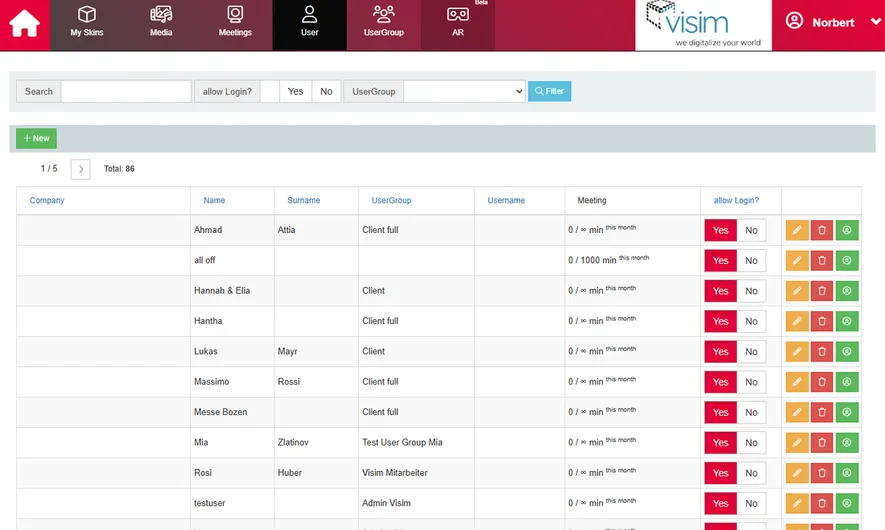
Unlimited Users

There is NO limit to the number of users you can create - whether you are looking to create employee or customer accounts, with MPskin's User Management, all doors are open. 


Your users will only ever see the skins you have assigned to them. Even entire folders of skins can be shared with a single user!
If you do not need this feature, there is of course no need to create users.

You are in control

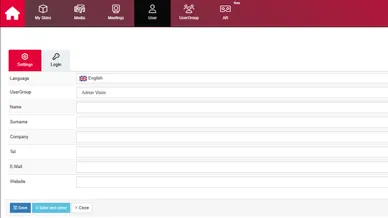
To create a user, simply navigate to the “User” tab. You can then assign a user group to the user. The User Group tab allows you to create any number of user groups and configure their permissions. 


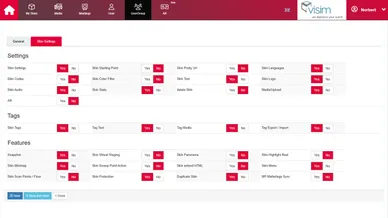
You are free to choose which settings and features can be edited by the user group - only want your user to be able to edit tags? No problem! 

Added sales value through CMS

Thanks to MPskin's User Management, you can offer your customers real added value by providing them with a complete CMS (Content Management System) with their own login! 


Not only does this allow you to charge extra for hosting, but it also allows you to hand over a project when it is complete - without having to worry about updating the content in the long term. 

FAQs about User Management

How can I give a user access to my skin without them seeing all skins?

It's very simple:

  1. Create a new user under “Users” (with at least a username and password) and assign them to the “Client” user group.
  2. In the “User Group” tab, you can configure the individual permissions for editing the skins.
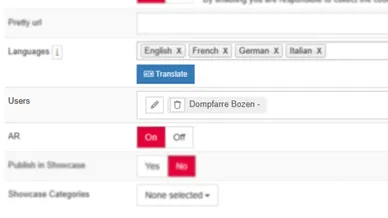
  3. Once the user and user group have been created, any number of skins can be assigned to the user. 
    You can find this setting in the Base Settings: Screenshot - Skin Users
Is User Management included in all plans?

Yes, no matter which plan you use, you can create as many users as you like.

Can I share files or folders from the Media Library with users?

No, this is unfortunately not possible. This is to prevent users from deleting files that are used in skins. 
There is also no point in duplicating the files, as this would quickly use up the storage space in the account.

However, users can create their own Media Library, allowing them to create their own files and folder structures!

Can Users see all of my skins?

No, users will only see the skins you have assigned to them. 
Alternatively, you can give a user access to ALL of your skins in the User Group tab - for example, an employee.

Start your creative journey with MPskin!